Task Evals
runme eval is experimental. The command group is intended for agent task eval workflows and may change as the eval workflow matures.
runme eval is an experimental command group for running repeatable task datasets against local agents.
It builds on Harbor's task, dataset, trial, and job model, but Runme presents the workflow through the runme eval CLI.
runme eval is distinct from Runme's notebook execution workflow. It does not run Markdown cells from a runbook. Instead, it runs task datasets that ask agents such as Codex, Claude Code, Cursor CLI, OpenClaw, or custom Harbor-compatible agents to complete concrete tasks in a local project environment. Each task defines how to set up the work, what the agent should do, and the verifier that scores the final result and, when relevant, the path the agent took. runme eval records those attempts as eval jobs, compares rewards against Git-tracked baselines, and can promote changes with eval evidence.
Why Use runme eval?
Use runme eval to smoke test and validate local AI agent workflows with repeatable eval tasks.
Runme's default eval environment runs locally, the same way a developer would experience the agent and project on their machine. That makes it useful for individual and team-scale development loops where you want realistic local behavior without first moving into a scaled-out or hermetic execution setup.
runme eval also uses Git as a simple eval tracking model. Eval jobs can be committed with the code they validate, so future runs can compare a local candidate against the latest Git-tracked baseline.
Harbor remains the underlying eval model and runner. Runme fills the local workflow gap: run the task, inspect the job, compare against a baseline, and commit eval evidence from the same development environment where the change was made.
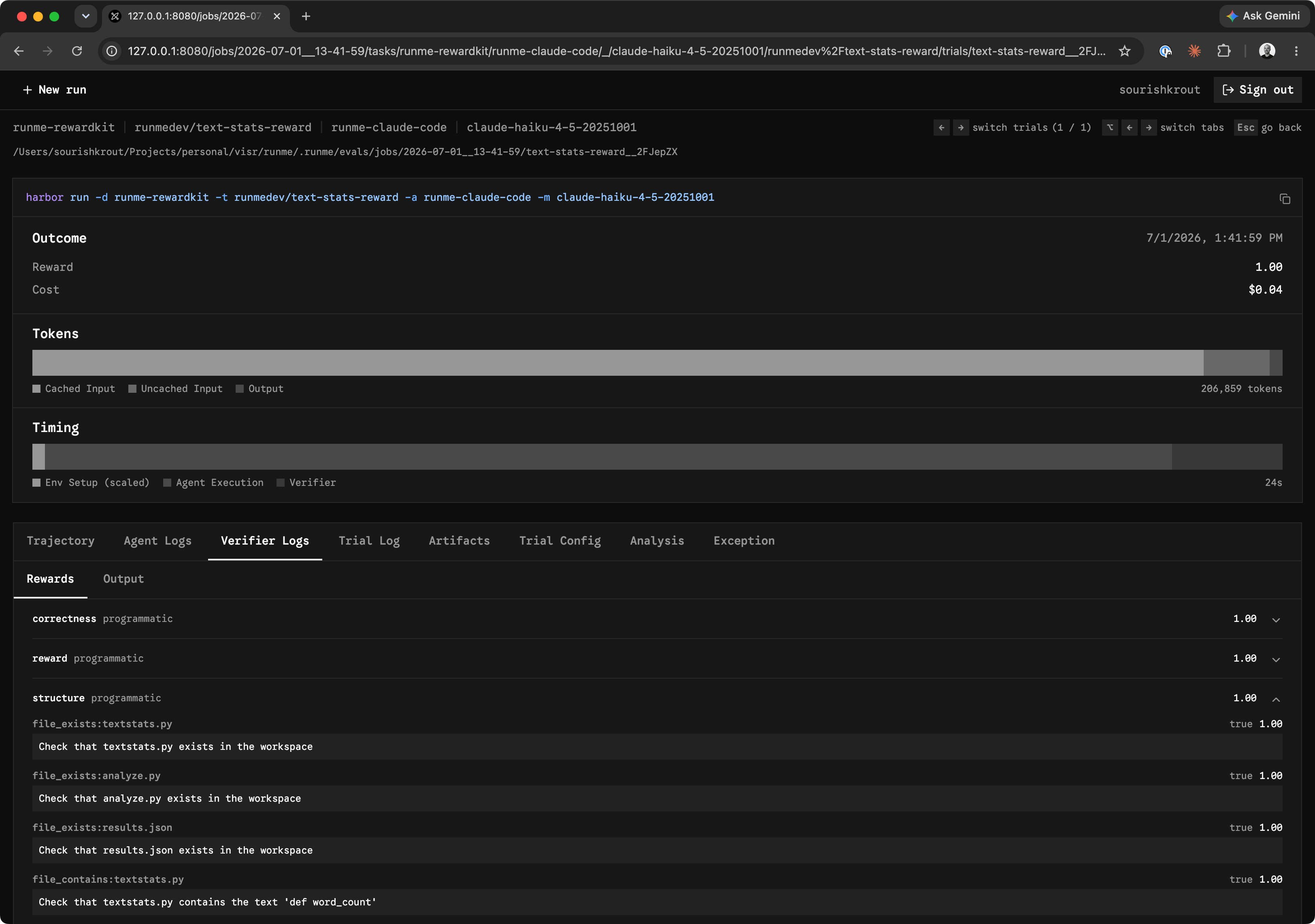
The demo below runs the RewardKit example dataset and records the scored eval job locally.
After an eval run finishes, runme eval view opens the local eval dashboard so you can inspect the recorded job, review task and trial details, compare reward scores, read agent and verifier logs, and open generated artifacts from the same run.
Prerequisites
runme eval delegates to the optional runme-harbor Python adapter. Install it as an isolated tool:
uv tool install runme-harbor
The runme CLI must be installed separately and available on your PATH.
External agent runs require the selected agent CLI to be installed and authenticated locally. Supported agent options include:
oracle: Harbor's built-in oracle solution runner. It runs the task's provided solution and is not an external agent CLI.codexclaude-codecursor-cliopenclaw
Defaults
When you run runme eval without extra path configuration, Runme uses these defaults:
- Dataset path:
./evals/tasks - Jobs directory:
.runme/evals/jobs - Agent:
oracle, Harbor's built-in oracle solution runner - Environment: Runme's Harbor environment
Commands
Use the quickstart to run a small end-to-end eval loop:
Use the reference when you need command syntax and flags: